
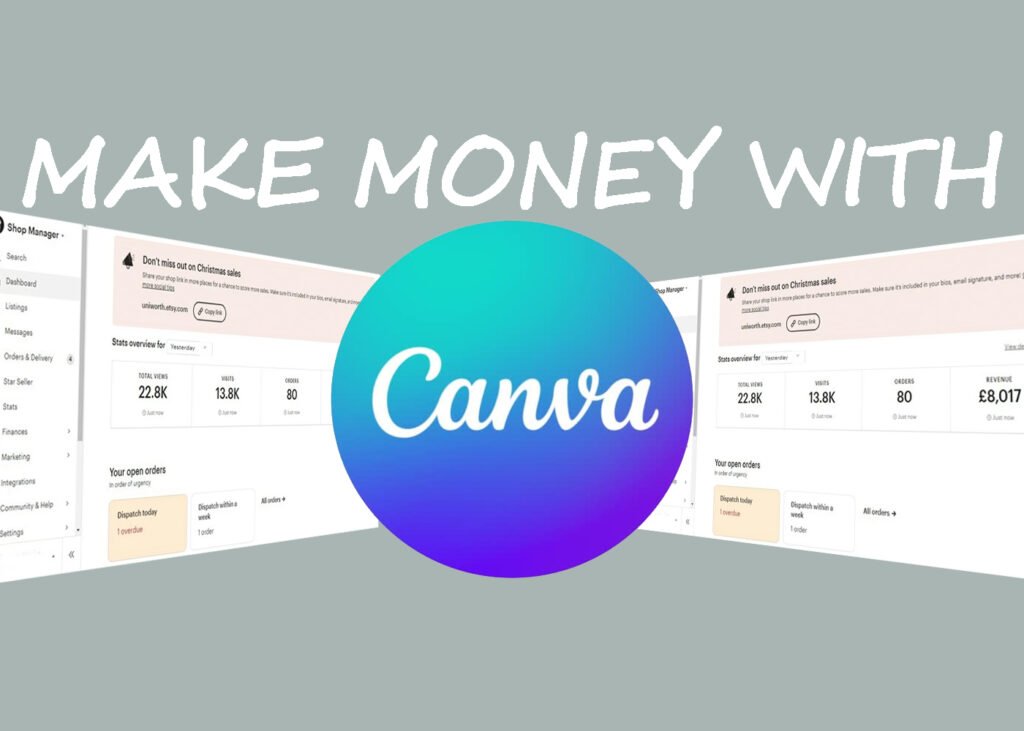
Let me tell you something honestly.
When I first heard people saying they make passive income from Canva, I didn’t believe it. I thought, “Isn’t Canva just for making Instagram posts?”
But after trying, failing, uploading, deleting, and testing again… I realized something powerful:
Canva is not just a design tool. It’s a digital product machine.
If you’re a student, working a 9–5 job, or living abroad (like many international students in Japan), Canva can become a simple side hustle that slowly turns into passive income.
Let’s break it down step-by-step in a real, practical way.
In this article:
- What Does “Passive Income from Canva” Really Mean?
- Sell Canva Templates (Most Profitable for Beginners)
- Create and Sell Digital Planners & Printables
- Make and Sell Canva E-books
- Join the Canva Creators Program
- Sell Canva Services First, Then Turn It Passive
- Tutorial for canva
- How Much Can You Realistically Earn?
- SEO Strategy to Sell More Canva Products
- Mistakes Beginners Make
- My Honest Advice (From Someone Who Tried)
- Frequently Asked Questions (FAQ)
What Does “Passive Income from Canva” Really Mean?
Passive income doesn’t mean you do nothing.
It means:
You create something once
You sell it multiple times
You don’t trade time for every sale
With Canva, you create digital products like:
Templates
Planners
E-books
Social media kits
Printables
Then you sell them on platforms like:
Now let’s talk about how to actually do it.
1. Sell Canva Templates (Most Profitable for Beginners)
This is how most people start.
Think about it:
Not everyone knows how to design. Small business owners, coaches, YouTubers — they all need ready-made designs.
You can create:
Instagram post templates
Pinterest pin templates
Resume templates
Media kits
Budget planners
Example
Let’s say you create:
“50 Minimalist Instagram Post Templates for Coaches”
You price it at $19.
If 100 people buy it?
That’s $1,900 from one design.
And you only created it once.
Pro Tip for 2026
Don’t create “general” templates.
Instead of:
❌ Instagram templates
Create:
✅ Instagram templates for real estate agents
✅ Instagram templates for fitness trainers
✅ Instagram templates for international students in Japan
Specific = more sales.
2. Create and Sell Digital Planners & Printables
This is very beginner-friendly.
Using Canva, you can create:
Daily planners
Student study planners
Wedding planners
Travel budget planners
Side hustle trackers
Upload them as PDF files and sell on Etsy.
The best part?
People love printable products because:
They are cheap
Instant download
No shipping required
You can even bundle:
“Ultimate Student Productivity Planner 2026”
If you target international students (like your blog audience), this can work very well.
3. Make and Sell Canva E-books
You don’t need to be a professional writer.
If you know something useful:
How to survive as an international student in Japan
How to pass JLPT N4
How to start a side hustle
You can write a simple 20–40 page guide in Canva and export it as PDF.
Then sell it on:
One good e-book can sell for years.
4. Join the Canva Creators Program
This is next level.
Canva has a Creators Program where designers upload:
Templates
Elements
Photos
When people use your design in Canva Pro, you earn royalties.
It’s not instant money.
But if your template becomes popular?
You get paid again and again.
It’s like YouTube views — but for templates.
5. Sell Canva Services First, Then Turn It Passive
This is smart.
At first, you may not know what sells.
So you can:
Offer social media design services
Create custom templates for clients
After working with 10–20 clients, you’ll notice patterns.
Then you convert your most requested design into a digital product.
Example:
You designed 15 resumes for students.
Now create:
“Editable ATS-Friendly Resume Template”
Sell it as a template instead of doing custom work every time.
How Much Can You Realistically Earn?
Let’s be realistic.
Month 1–2:
Probably $0–$100 (learning phase)
Month 3–6:
$200–$800 if you are consistent
After 1 year:
$1,000–$3,000/month is possible if:
You focus on niche
You optimize SEO
You upload consistently
Passive income is slow in the beginning.
But powerful later.
SEO Strategy to Sell More Canva Products
If you want real passive income, don’t just upload and pray.
Use SEO keywords like:
“Canva Instagram template for coaches”
“Printable study planner for college students”
“Editable resume template for international students”
Write descriptions that solve problems.
Not:
“Beautiful aesthetic template”
Instead:
“Editable Instagram template designed for small business owners who want to save 5+ hours per week.”
Sell the result. Not the design
Mistakes Beginners Make
Let me save you months of frustration.
❌ Making random designs
❌ Copying trends without research
❌ Uploading only 2–3 products and quitting
❌ Ignoring Pinterest marketing
Consistency wins.
Even 20 average products are better than 2 perfect ones.
My Honest Advice (From Someone Who Tried)
Don’t overthink it.
Your first Canva product will not be perfect.
Mine wasn’t either.
But once you see your first sale notification?
It changes everything.
You realize:
“I made money while sleeping.”
And that feeling is addictive.
Start small.
Pick one niche.
Create 5 products this month.
Upload them.
Improve next month.
That’s how passive income from Canva actually works.
Final Thoughts
Making passive income from Canva is not magic.
It’s simple:
Solve a specific problem
Create a useful digital product
Sell it on the right platform
Repeat
In 2026, digital products are growing fast.
And Canva makes it possible even if you are not a professional designer.
If you are serious about building something online — especially if you’re already blogging or running Pinterest — Canva can become your easiest entry point into passive income.
The question is not:
“Can you make money from Canva?”
The real question is:
Will you stay consistent long enough to see results?
Frequently Asked Questions (FAQ)
1. Can you really make passive income from Canva?
Yes, you absolutely can — but it’s not instant.
Canva helps you create digital products like templates, planners, and printables. Once you upload them to platforms like Etsy or Gumroad, they can sell again and again without extra work.
The key is creating products people are already searching for — not random designs.
2. Do I need Canva Pro to start?
No, you can start with the free version of Canva.
However, Canva Pro gives you:
More templates
Premium elements
Background remover
Brand kits
If you’re serious about scaling, Pro helps. But for beginners? Free is enough to test.
3. Where can I sell my Canva templates?
You can sell on:
If you’re just starting, Etsy is usually the easiest because it already has traffic.
4. How much money can beginners make?
Realistically:
First 1–2 months: $0–$100
3–6 months: $200–$800
1 year (consistent work): $1,000+ per month is possible
But remember — it depends on your niche, product quality, and marketing effort.
Passive income grows slowly at first, then compounds.
5. What are the best Canva products to sell in 2026?
Some trending ideas:
Instagram templates for specific niches
Digital planners
Resume templates
Pinterest pin templates
Small business branding kits
The more specific your audience, the better your sales potential.
6. Is selling Canva templates legal?
Yes — but you must follow Canva’s content license rules.
You cannot:
Resell Canva templates exactly as they are
Sell individual Canva elements
You can:
Create your own original designs using Canva tools
Share template links properly
Always check the latest Canva licensing terms before selling.
7. How do I get traffic to my Canva products?
Traffic usually comes from:
Etsy SEO
Pinterest marketing
Blogging
Instagram Reels
YouTube tutorials
Pinterest works especially well because people search there for templates and printables daily.
8. How many products should I upload to start seeing results?
Most beginners quit too early.
Instead of uploading 2 products and waiting, aim for:
10–20 products minimum
Consistent uploads every week
Improve based on what gets views
More listings = more chances to get found.
9. Is Canva passive income good for students?
Yes, especially for students.
It:
Requires low investment
Can be done from home
Doesn’t require physical inventory
Works well as a part-time side hustle
You can create products during weekends and let them sell while you study.
**If you want to build a faceless YouTube channel, this is the article for you.**
15 Faceless YouTube Channel Ideas That Actually Make Money (2026 Guide)
Pingback: 15 Side Hustles That Make Money in 2026